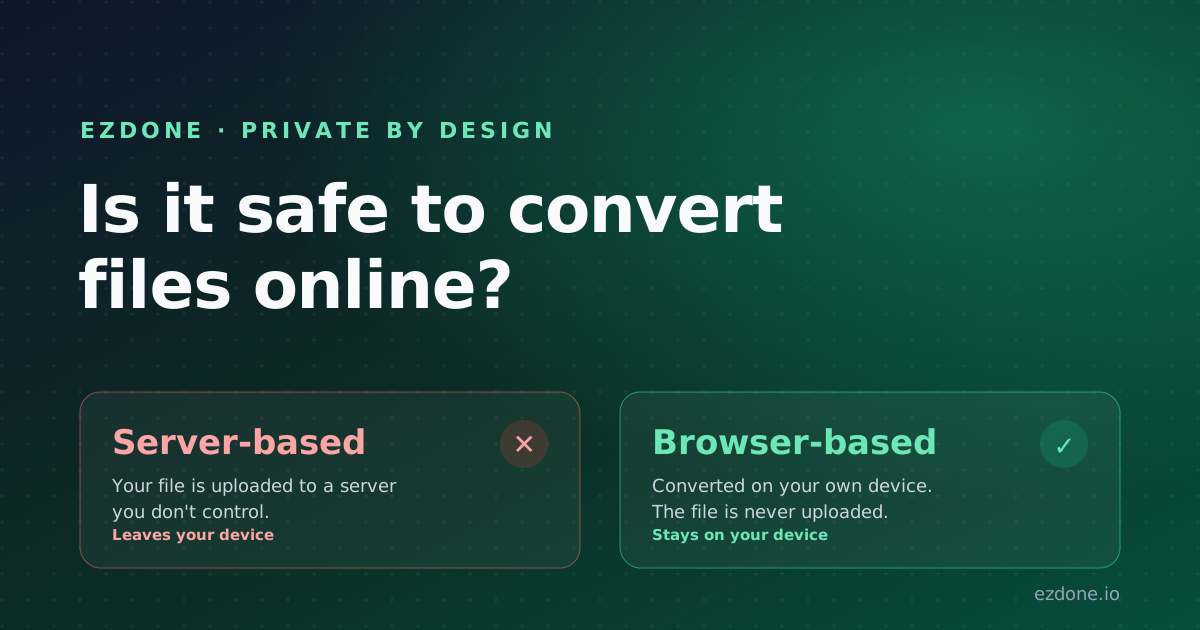
Is It Safe to Convert Files Online? How Browser-Based Tools Keep Your Files Private
Most online converters upload your files to a server you don't control. Here's how browser-based tools convert files without your data ever leaving your device.

ezDone
· 4 min read
You found a free online converter, dragged in a contract or a folder of personal photos, and clicked Convert. It worked. But where did that file actually go?
For most "free online converters," the answer is uncomfortable: straight to someone else's server. Whether that's safe comes down almost entirely to one thing, where the conversion happens.
Key Takeaways
- Most online converters upload your file to a remote server, where it can be cached, logged, or kept longer than you expect.
- Browser-based (client-side) tools convert files on your own device, so nothing is uploaded and nothing leaves your computer.
- You can verify a tool is local: load the page, go offline, and see if it still converts.
- ezDone runs every converter in your browser, with no upload and no account.
Is it actually risky to use an online file converter?
It depends on the tool, but for server-based converters the risk is real. When a site uploads your file to convert it, that file sits on hardware you don't control. It may be cached, logged, kept after the "delete" timer, or exposed if the service is breached. For a holiday photo, that's minor. For a contract, an ID, or a medical scan, it's a genuine exposure.
The good news is that not all online converters work this way.
What's the difference between server-based and browser-based converters?
There are two fundamentally different ways an online tool can convert a file, and they have very different privacy implications.
- Server-based: Your file is uploaded over the internet, processed on the company's machines, then sent back. Your data physically leaves your device.
- Browser-based (client-side): The conversion runs inside your own browser tab, using your device's processor. The file is never uploaded.
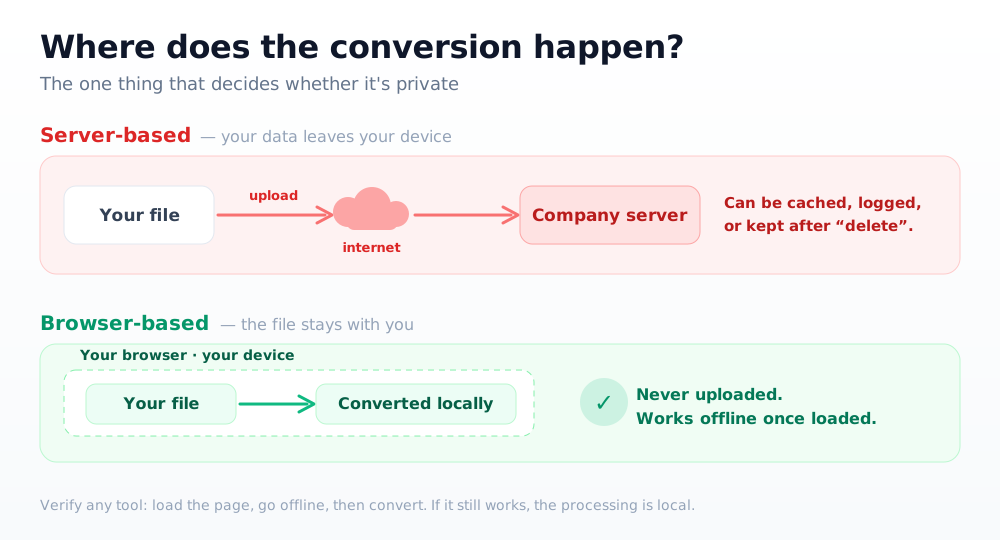
ezDone is built the second way. Every converter, for images, documents, data files, and subtitles, runs entirely in your browser. No upload, no account, no server that ever sees your file. Want to see it? Open the file converter and notice there's no upload bar.
Why does browser-based conversion matter?
Keeping the work local removes the part that creates risk: the upload. A few practical benefits follow from that.
- Confidential files stay confidential. Contracts, IDs, and tax forms never touch a third-party server.
- Nothing to leak later. There's no copy sitting in someone's cloud to be breached, subpoenaed, or forgotten about.
- It works offline. Once the page loads, you can disconnect and still convert, which proves nothing is being sent.
- It's usually faster. You skip the upload-and-download round trip entirely.
How can you tell if a converter uploads your files?
You don't have to trust the marketing. Three quick checks tell you what's really happening.
- Go offline and test. Load the page, turn off Wi-Fi, then convert. If it still works, the processing is local.
- Watch the Network tab. Open your browser's developer tools, switch to Network, and convert. A browser-based tool sends no request carrying your file.
- Read the privacy wording closely. "Files deleted after 1 hour" means they were uploaded first. "Files never leave your device" means they weren't.
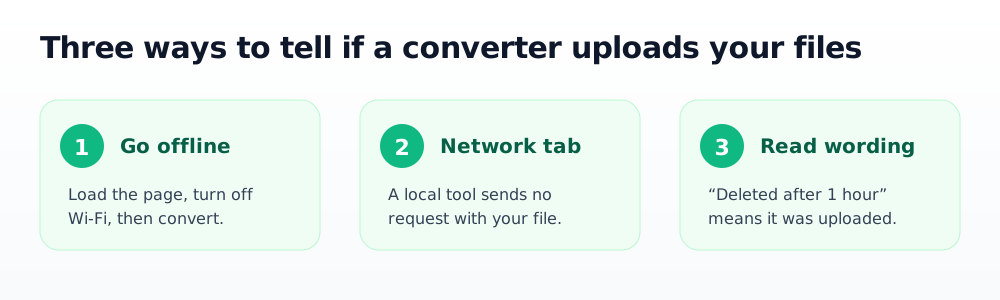
A simple rule of thumb: if a converter still runs offline, your file is staying with you.
The bottom line
"Free online converter" doesn't have to mean "upload your private files to a stranger." Browser-based tools give you the same one-click convenience without the data exposure, because your files never leave your machine.
Try it on something low-stakes first. Open ezDone's converter, drag in a file, and notice there's never an upload step. Need to shrink a batch of images privately too? The bulk image compressor works the same local-only way.
Frequently asked questions
Are online file converters safe to use?
It depends on whether the converter uploads your file. Server-based converters send your data to a remote machine, which carries real risk for sensitive documents. Browser-based tools like ezDone convert locally, so the file never leaves your device and there's nothing to expose.
How do I know if a converter uploads my files?
Load the page, disconnect from the internet, and try a conversion. If it still works, the tool runs locally and your file isn't being uploaded. You can also open your browser's Network tab and confirm that no request carries your file.
Is ezDone really free with no account?
Yes. Every ezDone tool runs in your browser with no sign-up, no upload, and no watermark. Because the work happens on your device, there's no server cost to pass on and no file for anyone to store.
What kinds of files can I convert privately?
ezDone's converter handles images, documents, data files such as CSV and JSON, and subtitles, all locally. Switching between formats like JPG and PNG happens entirely in your browser.
- privacy
- file conversion
- security
Free, private, browser-based tools
Convert, compress, and generate, all in your browser, no upload, no account.
Explore the tools