ezDone Scanner
PDF scanner for iPhone and Android
Scan any paper. Send a clean PDF.
ezDone finds the page, straightens it and evens out the light, so a crumpled receipt or a signed form becomes a crisp PDF in seconds. It reads the text too, and all of it happens on your phone.
AndroidComing soon to Google Play
- Price
- Free, with optional Pro
- Available on
- iPhone, Android coming soon
- Account
- None needed
- Languages
- English, Español, Français
What you can do with ezDone Scanner
Scan anything on paper
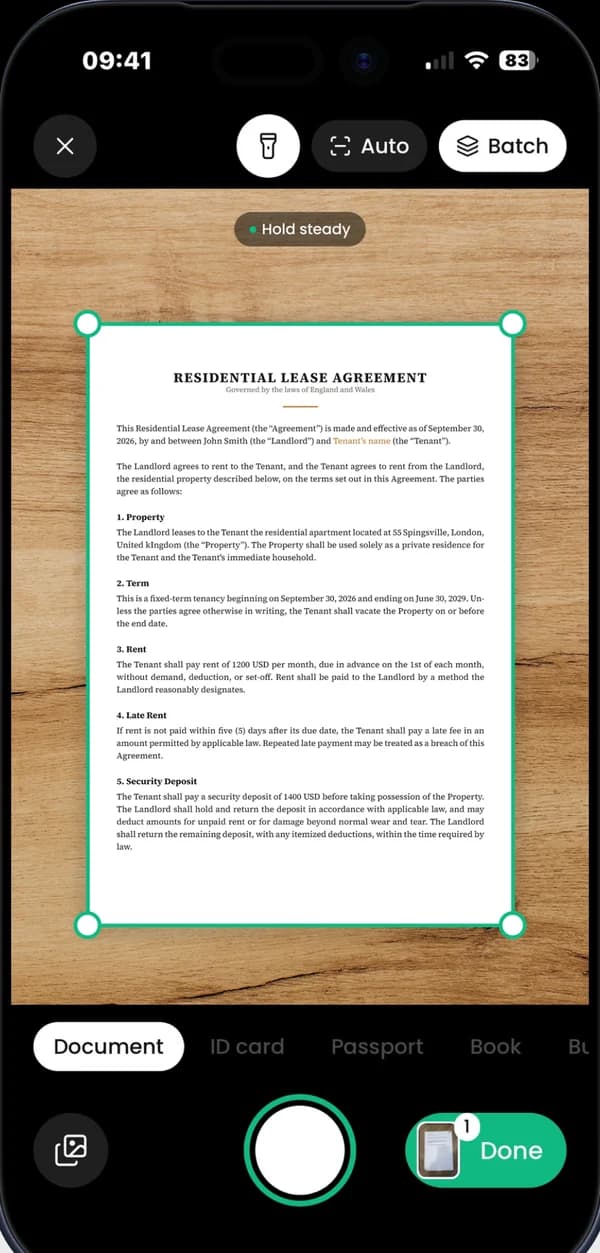
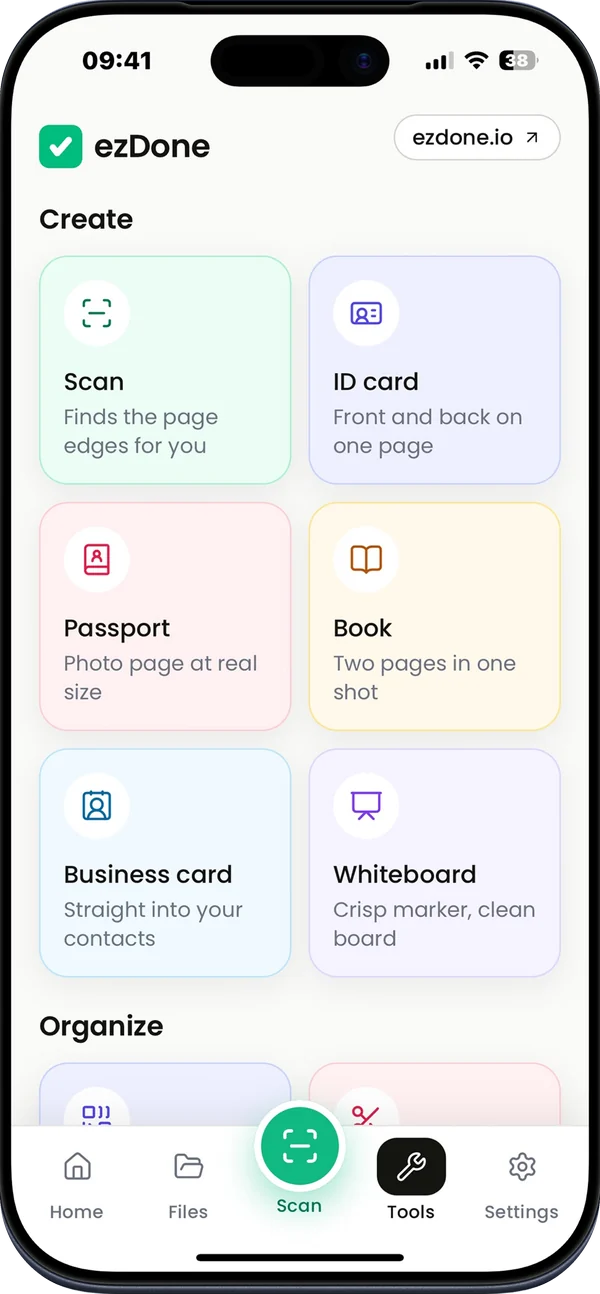
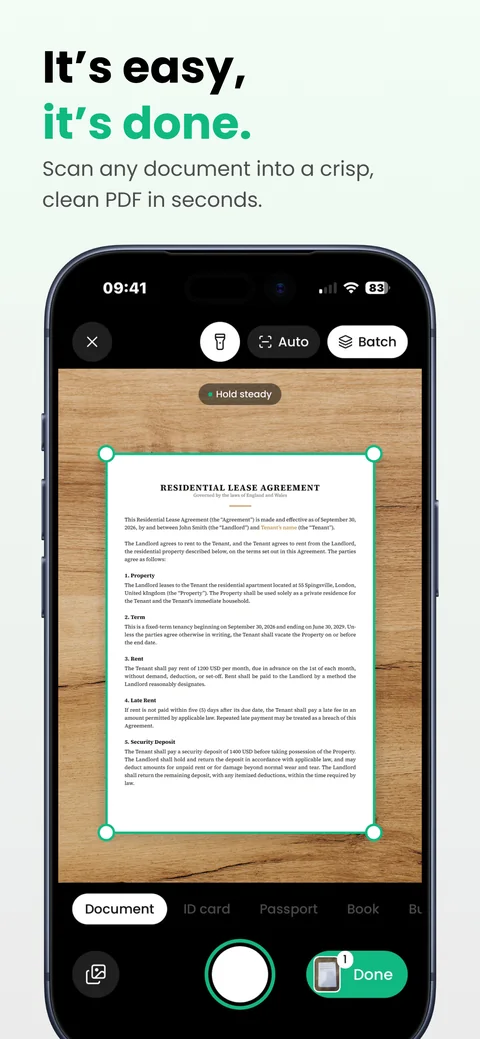
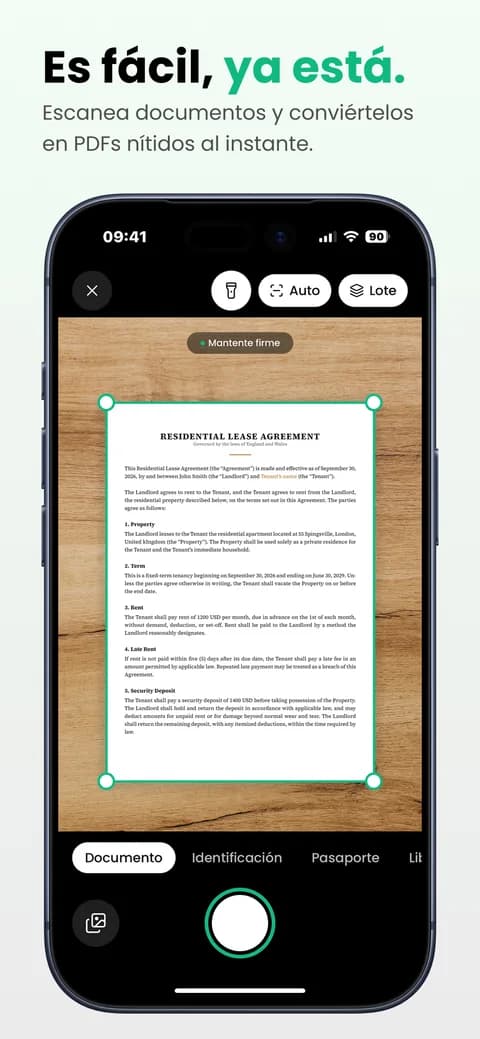
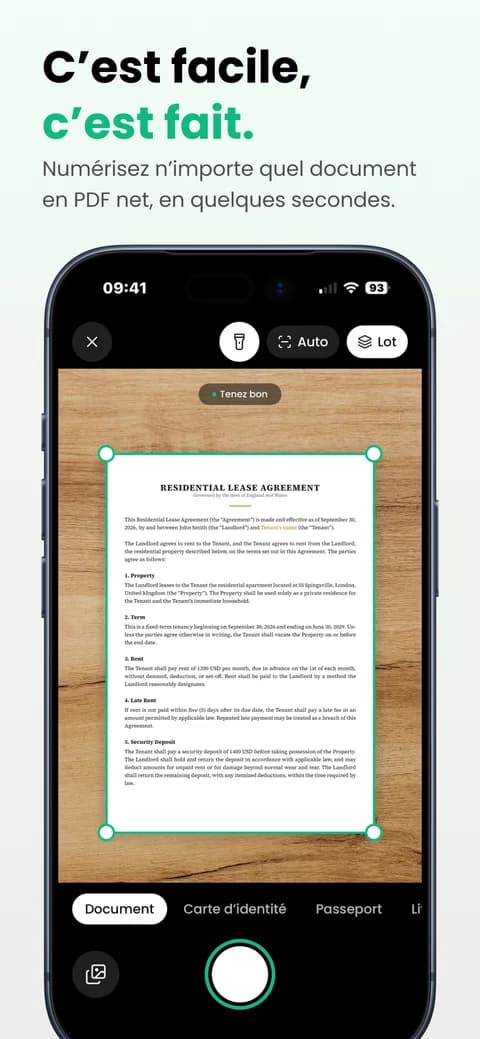
Point the camera at a page. ezDone finds the edges, waits for a steady shot and takes it for you, then flattens the page and evens out the light. Batch mode keeps going page after page, and photos or PDFs you already have can be imported instead.
Documents. Edges found and pages straightened, with five filters to choose from.
ID cards. Front and back together on one page.
Passports. The photo page at its real size.
Books. Two facing pages in one shot, saved as two.
Business cards. Name, phone and email read and ready for Contacts.
Whiteboards. Crisp marker on a clean white board.
Fill in and sign any form
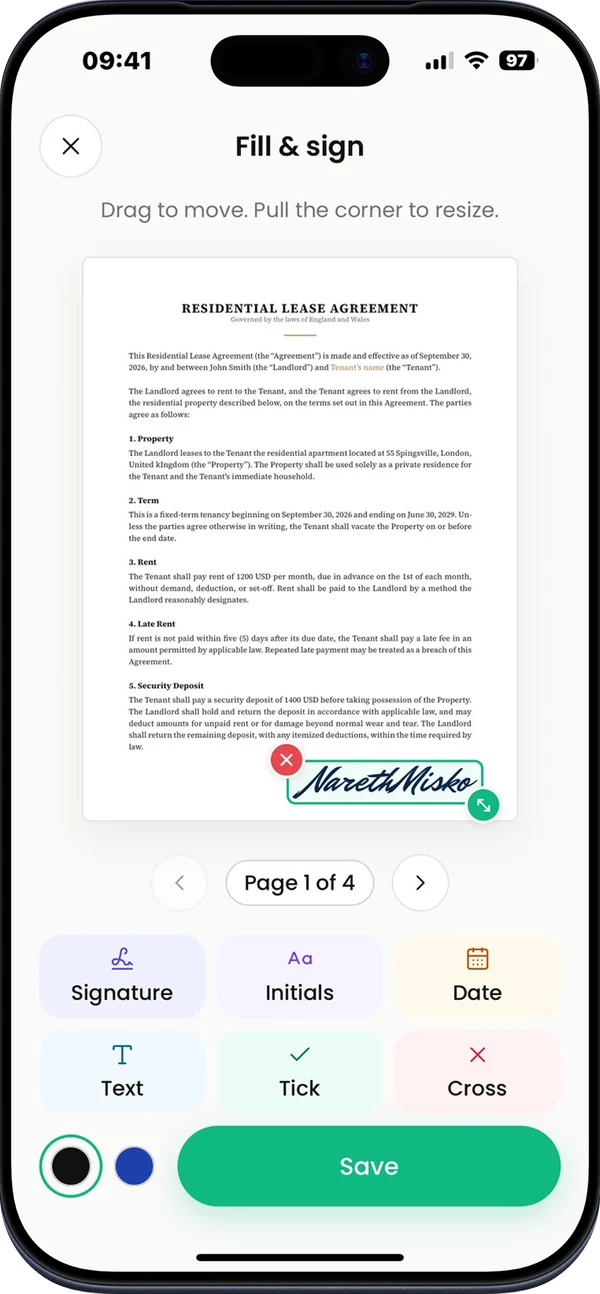
Open a page in Fill & sign and place what the form asks for. Drag to move, pull a corner to resize. Your signature is saved, so the next form takes seconds.
Signature and initials. Draw them with your finger or type them in one of six handwriting styles.
Date and text. Today's date in one tap, or any text you type.
Ticks and crosses. For the checkboxes on forms and lists.
Black or blue ink. Whichever the form asks for.
Every page turns into text
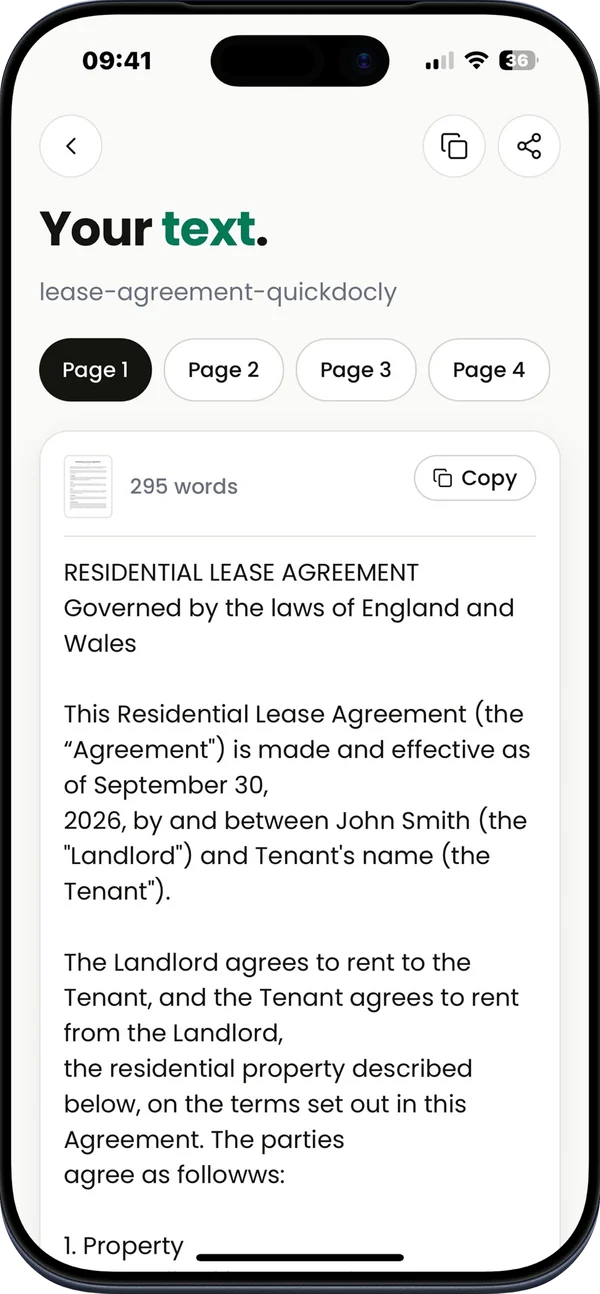
ezDone reads the words on each page right on your phone, without a connection. Find a document by what it says, copy a paragraph, or share the text of a whole document.
Search inside documents. Look for a name, a number or a phrase, not just a file name.
Copy and share. Copy a page's text or send it as a text file.
Searchable PDFs. Exported PDFs carry the text, so you can search and select it in any viewer.
Named for you. New scans get a name from their contents, such as an invoice with its month.
Black out what is private
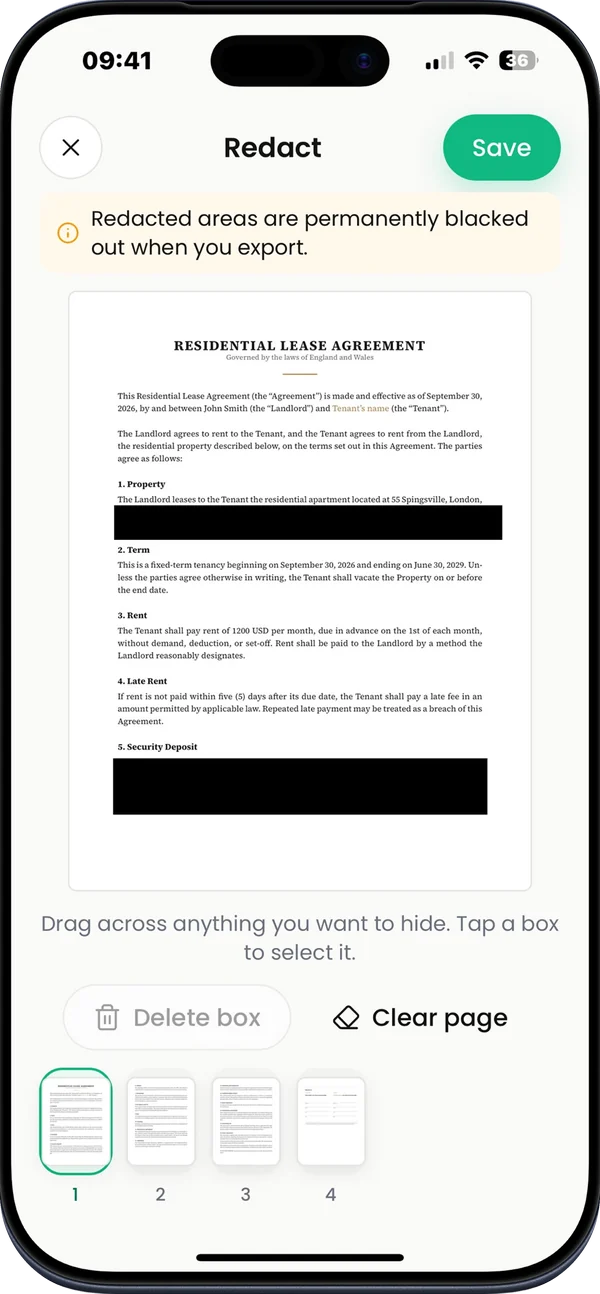
Drag a box over an account number, an address or a signature. When you export, the area is filled with solid black, and the words under it are left out of the file's text.
Permanent in every export. Boxes are burned into the pages of the PDF or JPG you send.
Gone from the text. Covered words are kept out of search, copied text and the PDF's hidden text layer.
Safe file names. If a document was named after words you black out, ezDone renames it.
Still editable in the app. Move or remove a box later; only the files you export are blacked out.
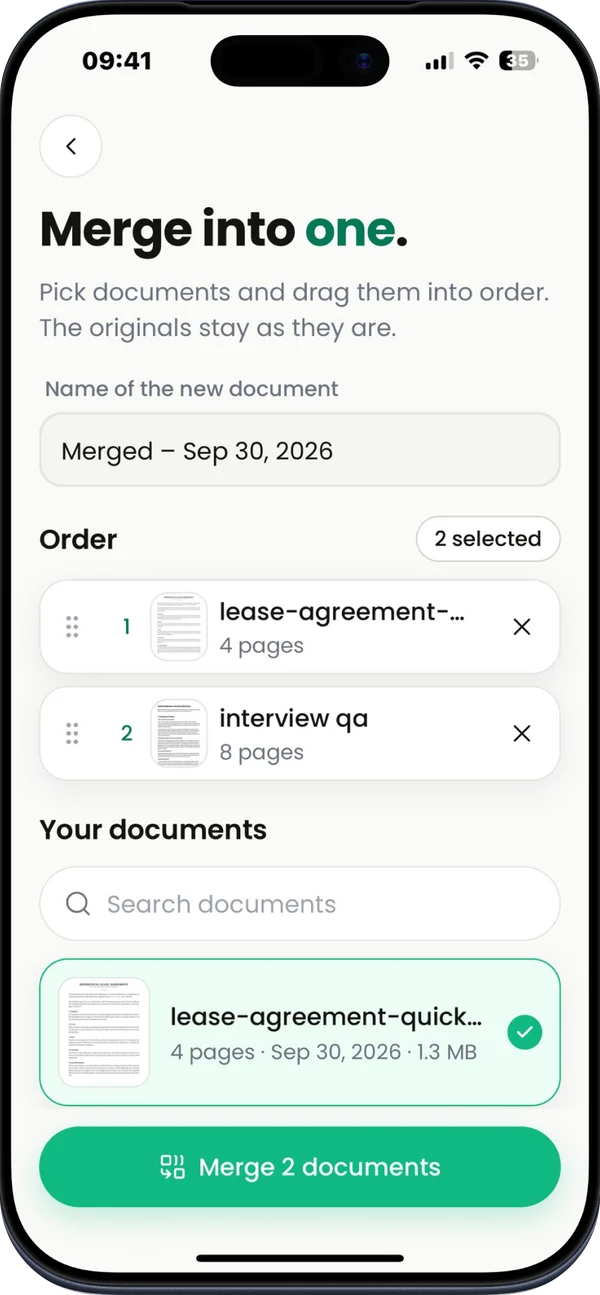
Every PDF tool, in one app
Combine scans into one file, pull out the pages you need, or shrink a PDF until an upload form accepts it. The documents you start from stay as they are.
Merge. Put documents together in the order you choose.
Split. One file per page, or just the pages you pick.
Compress. Pick a level, or a target size such as 1 MB.
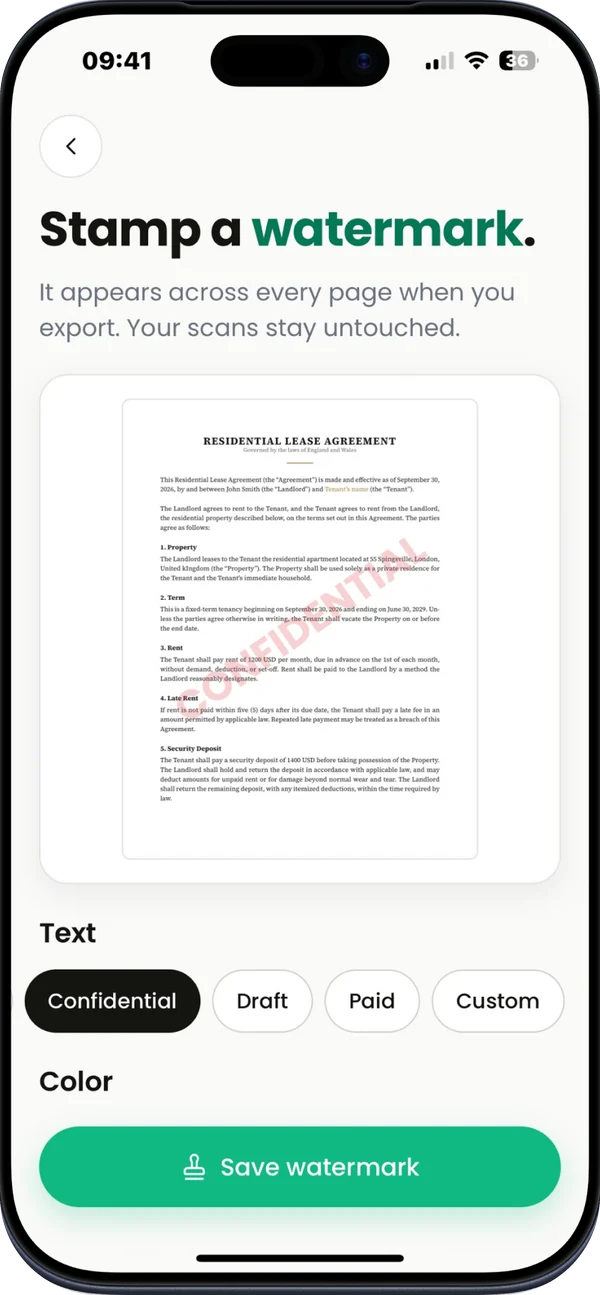
Watermark. Stamp Copy, Confidential, Draft, Paid or your own words on every page.
Password. Lock a PDF so it only opens with your password.
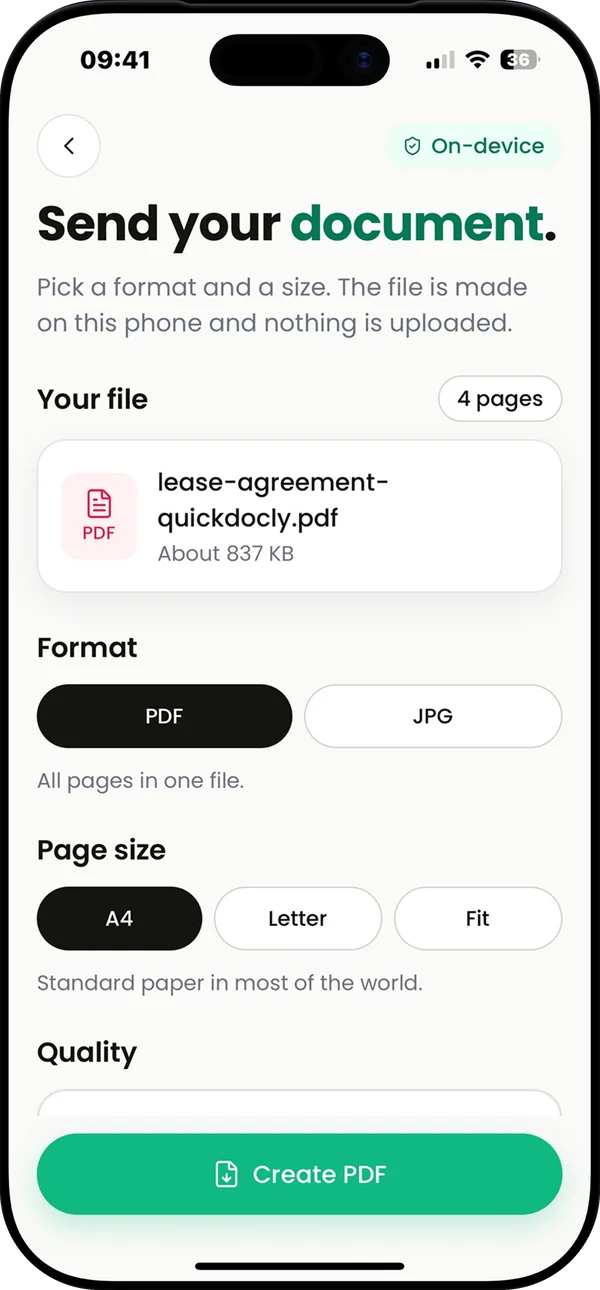
Export. PDF or JPG, on A4, Letter or fitted pages, kept under a size you set.
Made for iPhone
ezDone fits into the way you already use your phone, so a scan is never more than a tap away.
Widgets
Start a scan from your Home Screen or Lock Screen.
Quick Actions
Touch and hold the app icon to scan, or to import photos or files.
Share sheet
Send a PDF or a photo from any app straight into ezDone.
Files and Open in
Open PDFs from Files, Mail or Safari, and save exports back to Files.
Photos
Import pictures you already took, and save pages to your library as JPG.
Contacts
Turn a business card into a new contact, ready to save.
Your documents stay on your phone
There is no account to create and no cloud to sync with. Scans, signatures and recognized text are stored inside the app on your phone, and a file leaves it only when you share or export it.
Read the privacy policyNo sign-up. No email address, no password, no profile.
Text read on the device. Text recognition runs on your phone, offline.
No tracking. No analytics or advertising tools in the app.
Payments by Apple or Google. The App Store or Google Play takes payment. We never see your card details.
Free to use, with Pro for unlimited exports
Scanning, editing and every tool are free, and so are your first 2 exports. Pro takes the limit away.
Pro is a monthly or yearly subscription, with a 7-day free trial on the yearly plan, or a one-time lifetime purchase. The App Store or Google Play shows the price in your currency, and you can cancel anytime from your account.
| What you get | Free | Pro |
|---|---|---|
| Scanning in every mode | ||
| Editing, filters and Fill & sign | ||
| Text recognition and search | ||
| Merge, split, compress, watermark, password and redact | ||
| Exports, shares and text copies | First 2 | Unlimited |
In your language
The app and these pages come in English, Spanish and French. ezDone follows your phone's language, or the one you pick in its settings.
Help and frequently asked questions
Where are my documents stored?
Only on your phone, inside ezDone. Nothing is uploaded, so your scans, signatures and text never leave the phone unless you export or share them.
Can I scan several pages into one document?
Yes. Turn on Batch in the scanner and keep capturing; every page goes into the same document. You can reorder, retake or delete pages afterwards.
Which phones does ezDone work on?
Any iPhone with iOS 16.4 or later, free to download from the App Store. The Android version, coming soon to Google Play, works on Android 8.0 or later.
Is there an Android version?
Yes. ezDone Scanner for Android is coming soon to Google Play, with the same tools as the iPhone app, and it keeps your documents on your phone too.
What happens if I delete the app?
Deleting ezDone deletes every document in it, and they cannot be recovered. Export anything you want to keep first, for example as PDFs saved to Files or iCloud Drive.
How do I move my documents to a new phone?
There is no cloud sync. Export your documents as PDFs and save them somewhere your new phone can reach, like Files, iCloud Drive or email. Then bring them into ezDone with Import files.
What does ezDone Pro include?
Scanning, editing and organizing are free, and your first 2 exports are free too. Pro unlocks unlimited exports, sharing and text copying, as a monthly or yearly subscription (the yearly plan starts with a 7-day free trial) or a one-time lifetime purchase.
How do I restore my purchase?
Open Settings in ezDone and tap Restore purchases while signed in with the Apple Account you bought Pro with. It works on a new phone too.
How do I cancel my subscription?
Subscriptions are managed by Apple. Open the Settings app, tap your name, then Subscriptions, and choose ezDone. You keep Pro until the end of the period you paid for.
Does ezDone work without internet?
Yes. Scanning, editing, text recognition and exporting all work offline. Only buying or restoring Pro needs a connection.
Is text recognition private?
Yes. Text is read on your phone, by Apple's built-in text recognition on iPhone and by Google's ML Kit on Android, and your pages and their text never leave it.
The camera is not working. What can I do?
Open the Settings app, find ezDone and make sure Camera is turned on. You can also import photos and PDFs instead of scanning.
Get ezDone Scanner
Free on the App Store for iPhone. The Android version is on its way to Google Play.
AndroidComing soon to Google Play